![TT Logo.png]](https://25843872.hs-sites-eu1.com/hs-fs/hubfs/TT%20Logo.png?height=50&name=TT%20Logo.png)
Once grading is complete, the course status will automatically update to ‘Missing Evaluation’ to remind you to submit the final summary.
-
Open the Course:
Go to the ‘My Courses’ tab and select the relevant course from your list.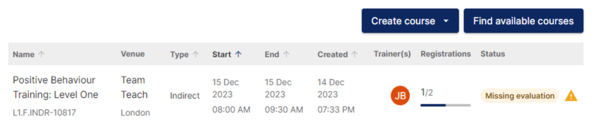
-
Access the Evaluation Form:
-
Click on the ‘Course Evaluation’ tab.
-
Then select ‘Complete My Evaluation’ to begin the summary evaluation.

-
-
Complete the Evaluation:
-
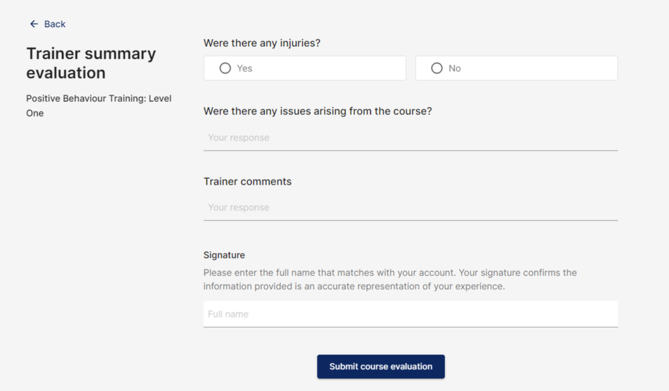
Provide feedback on the course delivery, participants, and any key observations.
-
If any injuries occurred, select ‘Yes’ when prompted. A drop-down field will appear for you to enter further details.
-
Be sure to enter your full name exactly as it appears on your account to sign the evaluation.
-
- Submit the Evaluation:
Click ‘Submit Course Evaluation’ once all sections are completed.

You’ll see a confirmation message, and the course will now be marked as Complete.