![TT Logo.png]](https://25843872.hs-sites-eu1.com/hs-fs/hubfs/TT%20Logo.png?height=50&name=TT%20Logo.png)
What are digital resource packs?
This is our new sustainable solution for organisations looking to move away from paper. Instead of printed workbooks, your delegates on your upcoming courses can access everything online.
What your delegates will need on the day:
-
A device (laptop, tablet, or phone) to view the resources
-
A stable Wi-Fi connection for the full duration of the course
How to access your resources:
-
On the day of your course, participants will need to log into Team Teach Connect
-
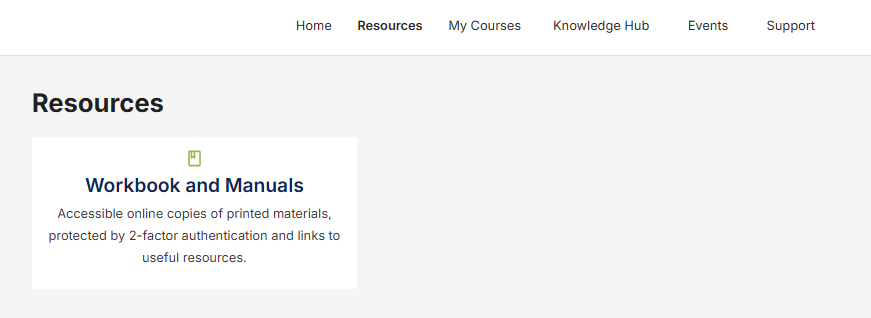
At the course start date and time, the Resources tab will become available to your participants.
- 👉 Please note: Participants cannot access the resources before the course begins.
-
Click on the Workbook and Manuals folder:
-
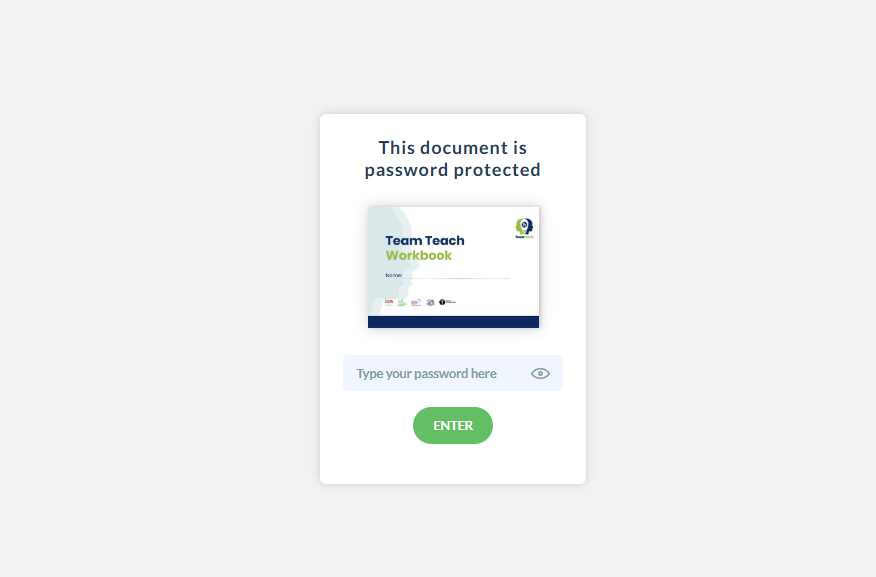
You’ll find the Team Teach Workbook Link available and a pass key (password) to open it.
-
This pass key changes frequently, so please remind delegates to check it carefully.
-
- Once the workbook is opened, participants will be prompted to enter the pass key
- Delegates will have access to the digital workbook for the full duration of their certified period.
Troubleshooting: No device or Wi-Fi on the day?
- If your course location does not have a stable Wi-Fi connection or if some participants do not have access to a device, please contact us in advance to request paper workbooks to support your course delivery.
- If there are unexpected issues on the day (such as connection problems), participants may not be able to access the workbook during the session. However, they will still be able to access the digital workbook via their Team Teach Connect library for the remainder of their accreditation period.
Looking for additional support?
Please get in touch with our helpful Connect team today on connect@teamteach.com.au .
We're here to help!