![TT Logo.png]](https://25843872.hs-sites-eu1.com/hs-fs/hubfs/TT%20Logo.png?height=50&name=TT%20Logo.png)
If you are not currently an administrator, but think you should be, please contact Team Teach and we will be happy to help.
As an organisation administrator, you have access to a dashboard. This shows you the individuals trained in your organisation(s), their training status, and Blended Learning licences. More information about the organisation dashboard can be found in the article Using the Organisation Dashboard.
If you manage more than one setting, you will see all your organisations displayed together in the sub-navigation panel. You can move between individual organisations by selecting on each organisation’s name.
Select the ‘blended learning licences’ tab to see available and unused licences that have been reserved for upcoming training courses.
Select the ‘export’ button to export this information as a spreadsheet.

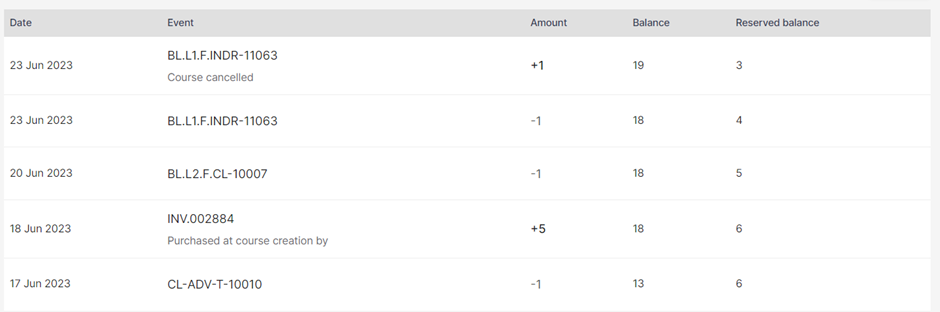
Moving down the page, you will see a tracker showing you how your licences have been used and the available balance.
Blended Learning licences are purchased on a pay-as-you-go basis. To enquire about bulk purchasing Blended Learning licences, please contact Team Teach and we will be happy to help.