![TT Logo.png]](https://25843872.hs-sites-eu1.com/hs-fs/hubfs/TT%20Logo.png?height=50&name=TT%20Logo.png)
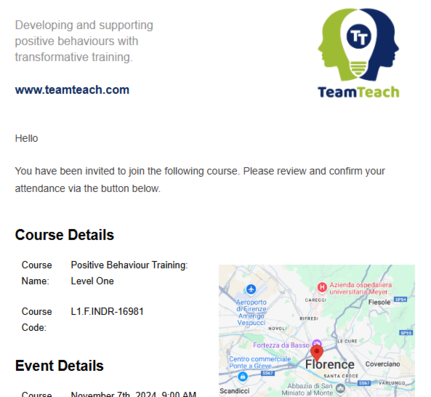
Before your Team Teach training takes place, you’ll receive an invitation email asking you to confirm your attendance. Follow the steps below to complete your registration.
1. Check Your Invitation Email
Your email will include key course details:
-
-
Course name and identification code
-
Date and time of the training
-
Training location
-
Online meeting link (for virtual training)
-
Blended Learning details (if applicable)
-
-
2. Respond to the Invitation
-
-
Click ‘Confirm Attendance’ in the email.
-
Review the course information provided.
-
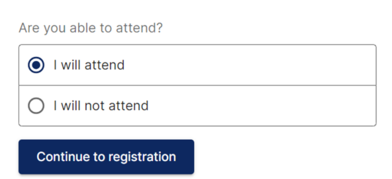
Choose:
-
‘I will attend’ to accept your place, or
-
‘I will not attend’ to decline (you’ll be asked to provide a reason).
-
-
Click ‘Continue to Registration’.
-
3. Create a Team Teach Connect Account
If you don’t already have an account, you’ll be prompted to set one up.
For full instructions, see: Registering for Team Teach Connect
4. Complete the Health & Safety Consent Form
After confirming your place, you’ll be directed to complete:
-
-
The Health & Safety Consent Form
-
5. Optional: Update Your Profile
You can also update your Team Teach Connect profile to include:
-
-
Dietary requirements
-
Disabilities or accessibility needs
-
This helps us ensure the right support is in place for your training.
See: Editing Your Profile for more details.